Your Phone Hides Your Files on Purpose — And Your Computer Hates That
Here's a scenario that probably sounds familiar. You save a document on your phone, then sit down at your laptop expecting to find it, and suddenly you're playing a guessing game. Where did it go? What app saved it? Is it even a real file, or just a thumbnail living inside some app's private corner of your storage?
This isn't a bug. It's not even really a flaw. It's a fundamental design difference between how mobile operating systems and desktop computers think about files — and once you understand it, a lot of everyday tech frustration starts to make a whole lot more sense.
Desktops Were Built Around the Folder
When personal computers took off in the '80s and '90s, the whole interface was designed around a very physical metaphor: the filing cabinet. You had drives, folders, and files. Everything had a location you could point to, navigate to, and manually move around. Windows and macOS still work this way at their core. Open File Explorer or Finder, and you're essentially looking at a map of your storage — every file sitting in a specific place, waiting for you.
This system gives you a lot of control. You can see exactly where a file lives, copy it, rename it, throw it in a different folder, or back it up yourself. Developers build apps that read and write to specific paths. The whole ecosystem assumes that you, the user, are in charge of organizing your stuff.
That model made total sense when computers were expensive, stationary machines used by people who had at least some technical background. File management was part of the deal.
Phones Were Built Around the App
Smartphones came at the problem from a completely different direction. When Apple launched the iPhone and Android followed shortly after, the priority wasn't power users managing their own storage — it was regular people who just wanted things to work without thinking about them.
So mobile operating systems flipped the model. Instead of organizing storage around files and folders, they organized it around apps. Each app gets its own private storage sandbox. Your photos app keeps your photos. Your notes app keeps your notes. Your banking app keeps its data locked away where nothing else can touch it.
From a security standpoint, this is actually brilliant. Apps can't snoop on each other's data. Malware has a much harder time spreading. The average person never has to think about where anything lives because, honestly, they're not supposed to.
But here's the tradeoff: as a user, you lose visibility. On Android, there's still a traditional file system underneath, and you can dig into it if you want to. On iOS, Apple has made that nearly impossible by design. Your files exist, but the operating system really doesn't want you thinking of them as files. It wants you thinking of them as content inside apps.
Why This Creates Real Problems
The friction shows up the moment you try to move between worlds.
Say you edit a spreadsheet on your iPhone using the Numbers app. Where does that file live? Inside Numbers' private storage container. To get it onto your Windows laptop, you need to export it, share it somewhere, or use iCloud — and then hope your laptop's software can actually open the format it was saved in.
Or consider photos. On your phone, photos feel effortless. You take one, it's just there. But if you plug your phone into your PC and try to find those photos through File Explorer, you might be hunting through a folder structure that looks like it was designed to discourage you. That's because it kind of was. The operating system isn't trying to make desktop file management easy — that's not what it was built for.
This gap also shows up with file names, file paths, and even what counts as a "file" in the first place. Your phone might save something as a temporary cache object that technically has no name. Your laptop would never do that without at least giving it a path.
Cloud Storage Was Supposed to Be the Bridge
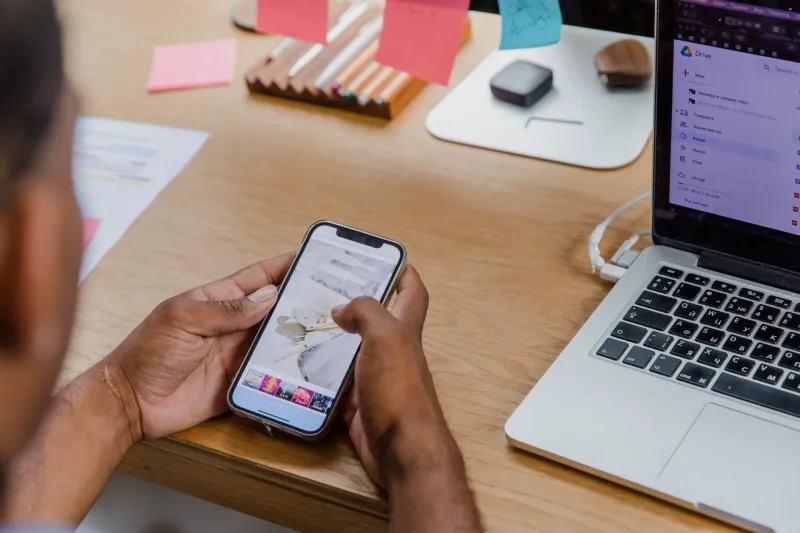
Services like Google Drive, Dropbox, iCloud, and OneDrive stepped in with a promise: stop worrying about where files live, just put them in the cloud and access them from anywhere.
For a lot of people, this genuinely works. A Google Doc you start on your Android phone shows up on your Chromebook, your Windows PC, and your iPad without you lifting a finger. That's legitimately impressive.
But cloud storage hasn't actually resolved the underlying difference — it's just layered on top of it. And that creates its own headaches.
For one thing, different cloud services integrate differently with different operating systems. iCloud works smoothly on a Mac and iPhone but feels like a second-class citizen on Windows. Google Drive behaves differently depending on whether you're using a browser, a desktop app, or a mobile app. Files you think are synced sometimes aren't, especially if you're offline or storage limits kick in.
There's also the question of format translation. A file saved in a mobile-native format — say, an Apple Pages document or a Samsung Notes export — might not open cleanly on a Windows machine even after it successfully syncs to the cloud. The file arrived. The content didn't fully survive the trip.
And then there's the privacy and ownership angle. When your files live in the cloud, they're not really on your device at all. They're on someone else's servers, governed by terms of service that can change. For most everyday files, that's fine. For sensitive documents, it's worth thinking about.
So Who Gets This Right?
Honestly? Neither side has fully figured it out. Desktop operating systems still expect a level of file management literacy that most people in 2024 just don't have and don't want to develop. Mobile operating systems prioritize simplicity to the point where power users hit walls constantly.
What's interesting is that both sides are slowly drifting toward each other. iPadOS added a Files app that lets users actually browse a folder structure — a huge concession from Apple. Windows and macOS have both leaned harder into cloud integration, blurring the line between local and remote storage. Android has given users more file management tools over time.
But the core philosophical difference — desktop thinking in files, mobile thinking in apps — is still very much alive. And until that gap closes, moving files between your phone and your computer is going to keep feeling like translating between two languages that share a lot of words but not much grammar.
Next time your file seems to vanish between devices, remember: it probably didn't go anywhere. It's just living by a different set of rules than the device you're looking for it on.