Your Old Photos Are Slowly Dying — And You Probably Don't Know It
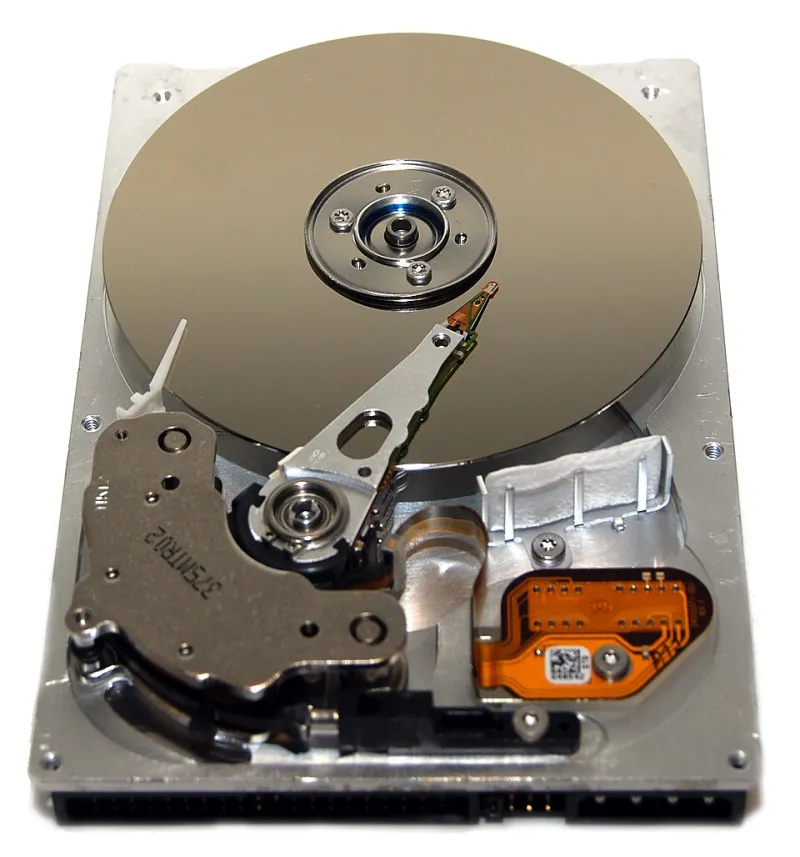
Photo: walknboston, CC BY 2.0, via Wikimedia Commons
Somewhere in your parents' house — maybe in a junk drawer, maybe on a shelf next to an old router — there's probably a hard drive or a stack of burned CDs. On those drives are photos. Birthday parties, road trips, maybe your entire childhood documented in digital form. And there's a decent chance that a good chunk of those photos are stored in formats that modern software is already starting to struggle with.
This isn't a scare story. It's a very real, very fixable problem. But first, you need to understand what's actually going on.
The Golden Age of "We'll Figure It Out Later"
Back in the late 1990s and early 2000s, digital cameras were everywhere and everyone was excited. The problem was that nobody had agreed on a single way to save a photo. Camera manufacturers, software companies, and tech startups were all rolling their own image formats, each one claiming to be better than the last.
You ended up with a wild mix of files sitting on people's computers:
- BMP (Bitmap) — Microsoft's old-school format from the Windows 3.1 era. Massive file sizes, zero compression, and about as modern-feeling as a fax machine.
- TIFF (Tagged Image File Format) — A high-quality format that professional photographers loved. Still usable today, but the sheer variety of TIFF "flavors" means some older versions open weirdly or not at all.
- Proprietary camera RAW formats — This is where things get really messy. Nikon's NEF files, Canon's CR2 files, Olympus's ORF files — every major camera brand invented its own RAW format. And here's the kicker: older versions of those formats are sometimes no longer supported even by the company that created them.
Then there are the truly obscure ones. FlashPix (.fpx), Photo CD (.pcd) from Kodak, and various scanner-specific formats that existed for about five years before vanishing entirely. If you find one of those on an old drive, good luck opening it without digging up legacy software.
Why Do Formats Become Unreadable?
This is the part that surprises most people. Files don't "rot" the way a printed photo fades in sunlight. The actual data stays intact on the disk. What changes is the software's ability — or willingness — to read it.
When a company stops updating a format, a few things happen. Operating systems update and drop support for old decoders. Software companies stop maintaining the code that reads those files. New versions of apps quietly remove compatibility with formats that less than 1% of users still encounter.
Adobe Photoshop, for example, dropped support for importing Kodak Photo CD files years ago. If you have a .pcd file from a 1990s Kodak kiosk scan, you're going to need a workaround just to see it.
And proprietary RAW formats are especially vulnerable. Adobe maintains a database called the Camera Raw plugin that supports hundreds of RAW formats — but older camera models eventually get dropped from updates. If your camera is old enough, future versions of Lightroom might not open your files at all.
The Specific Formats You Should Check For Right Now
If you're doing a digital archaeology dig through old drives, keep an eye out for these:
Kodak Photo CD (.pcd) — Popular in the early 1990s when you could get your film scans put on a CD at the drugstore. Barely supported anywhere today.
FlashPix (.fpx) — A joint project from Kodak, Microsoft, and HP that was supposed to revolutionize digital photos. It didn't. Almost no modern software opens these.
Early Canon RAW (.crw) — Canon's very first RAW format, used before they switched to .cr2. Support is getting thinner every year.
Nikon NEF (older versions) — Nikon's RAW format has changed significantly over the decades. Files from early 2000s Nikon DSLRs can behave unpredictably in current software.
Windows BMP — Not exactly endangered, but BMP files are often enormous and contain no metadata. They'll open fine today, but they're inefficient to store and easy to lose track of.
What You Can Actually Do About It
Here's the good news: this is a solvable problem, and you don't need to be a tech wizard to fix it.
Step 1: Dig up the files first. Plug in old drives, pop in old CDs, raid old computers. You can't save what you can't find. Use Windows File Explorer or macOS Finder to search for file extensions like .pcd, .fpx, .crw, .tif, and .bmp.
Step 2: Use IrfanView or XnView to open the weird stuff. Both are free programs that support an enormous range of old image formats. If your regular photo app won't open something, try these first.
Step 3: Convert everything to a modern, open format. JPEG is fine for everyday photos. PNG is better if you want lossless quality. For archival purposes, consider TIFF (modern flavor) or HEIF. The goal is to get your photos into something that'll still open in 20 years.
Step 4: Back up in multiple places. The classic rule is the 3-2-1 backup: three copies, on two different types of storage, with one copy stored offsite (or in the cloud). Google Photos, iCloud, and Amazon Photos all offer free or low-cost storage.
Step 5: Don't forget the metadata. Old photos often have date and location data embedded in them. When you convert formats, use a tool that preserves EXIF data — that's the hidden information that tells you when and where a photo was taken. Losing it means losing context.
The Clock Is Ticking, But Not That Fast
None of this is an emergency. You're not going to wake up tomorrow and find your photos gone. But software compatibility is a slow, one-way door — once a format loses support, it rarely gets it back. The longer you wait, the harder the rescue mission becomes.
Think of it like old home movies on VHS. Five years ago, you could still find a VCR at Goodwill. Today? Good luck. Digital formats follow the same arc, just on a longer timeline.
Your family's photos deserve better than a format nobody remembers. Spend an afternoon on this. Future you — and future generations — will be glad you did.